

Getting Paid: How to Set Up Your Stripe Account
To help you get paid quickly and securely, Usefull integrates seamlessly with Stripe, one of the world’s leading payment processing platforms. Using Stripe gives you more control over your payments, ensures reliable transactions, and provides industry-leading security to protect your business and customers.
By setting up your Stripe account, you can easily accept credit card payments for bookings, event tickets, and gift card sales—all in one place.
We've added a quick link from your main dashboard to help you get started. If you are not planning to accept payments for events or bookings, this feature can be skipped
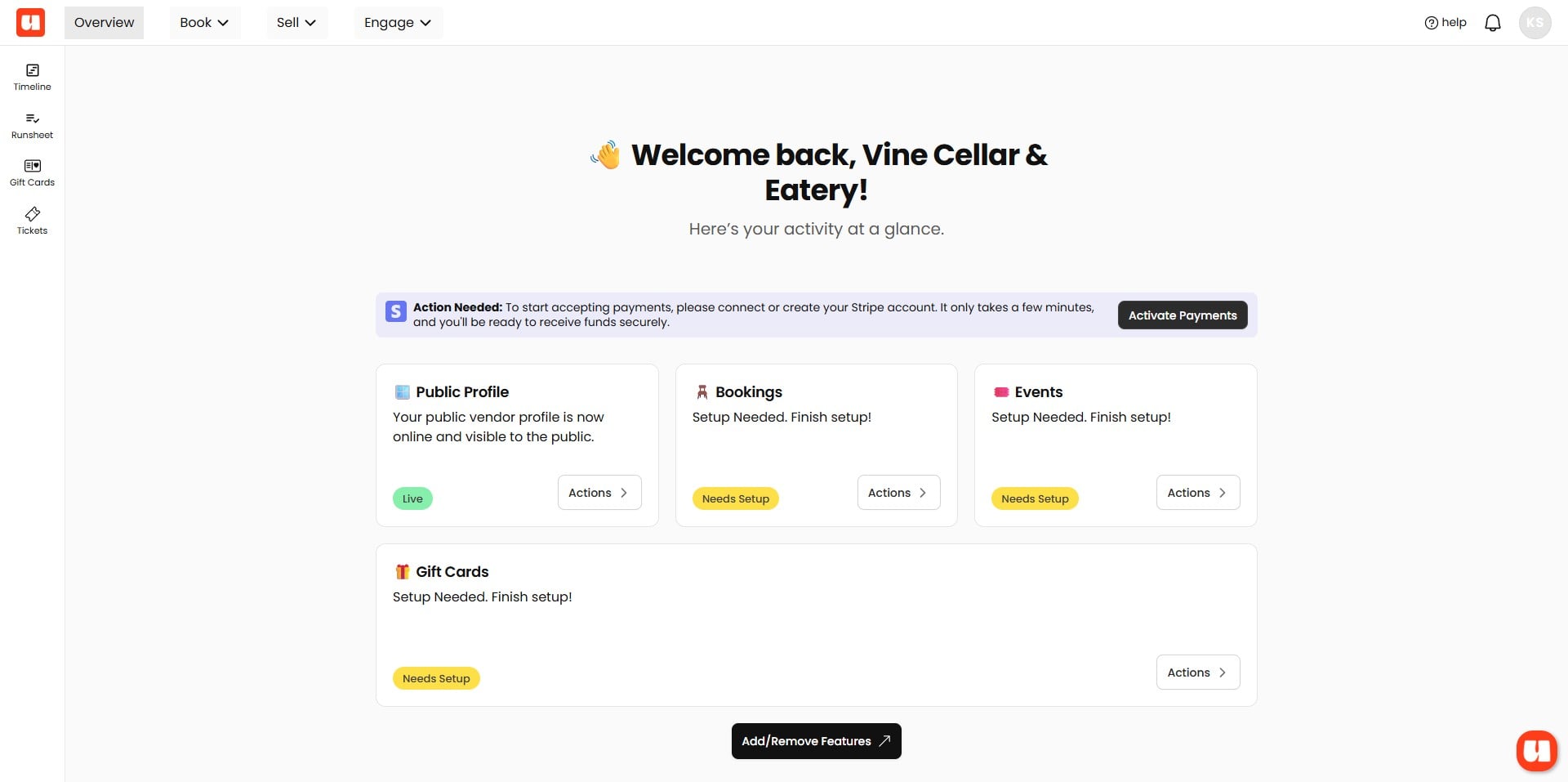
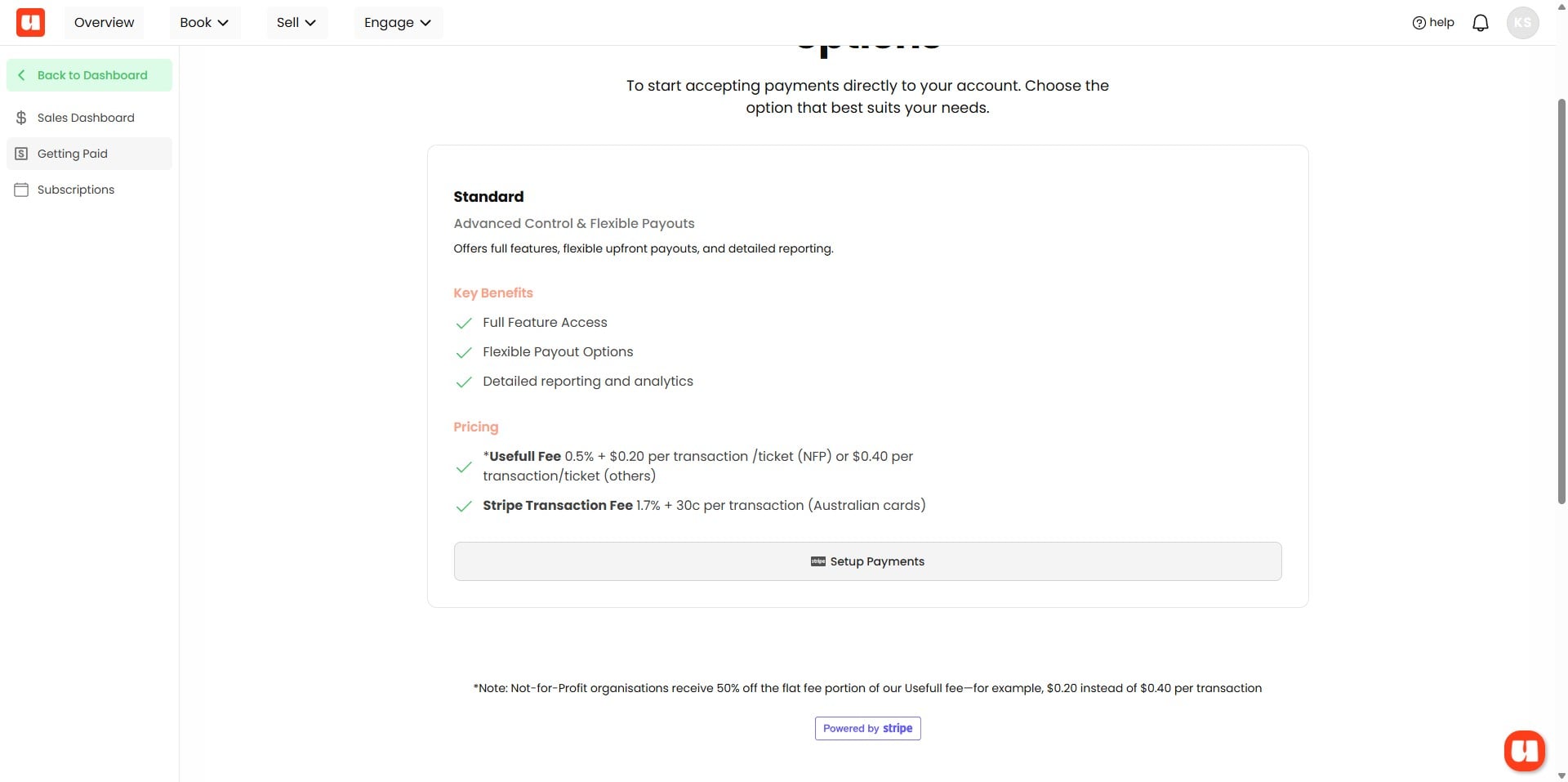
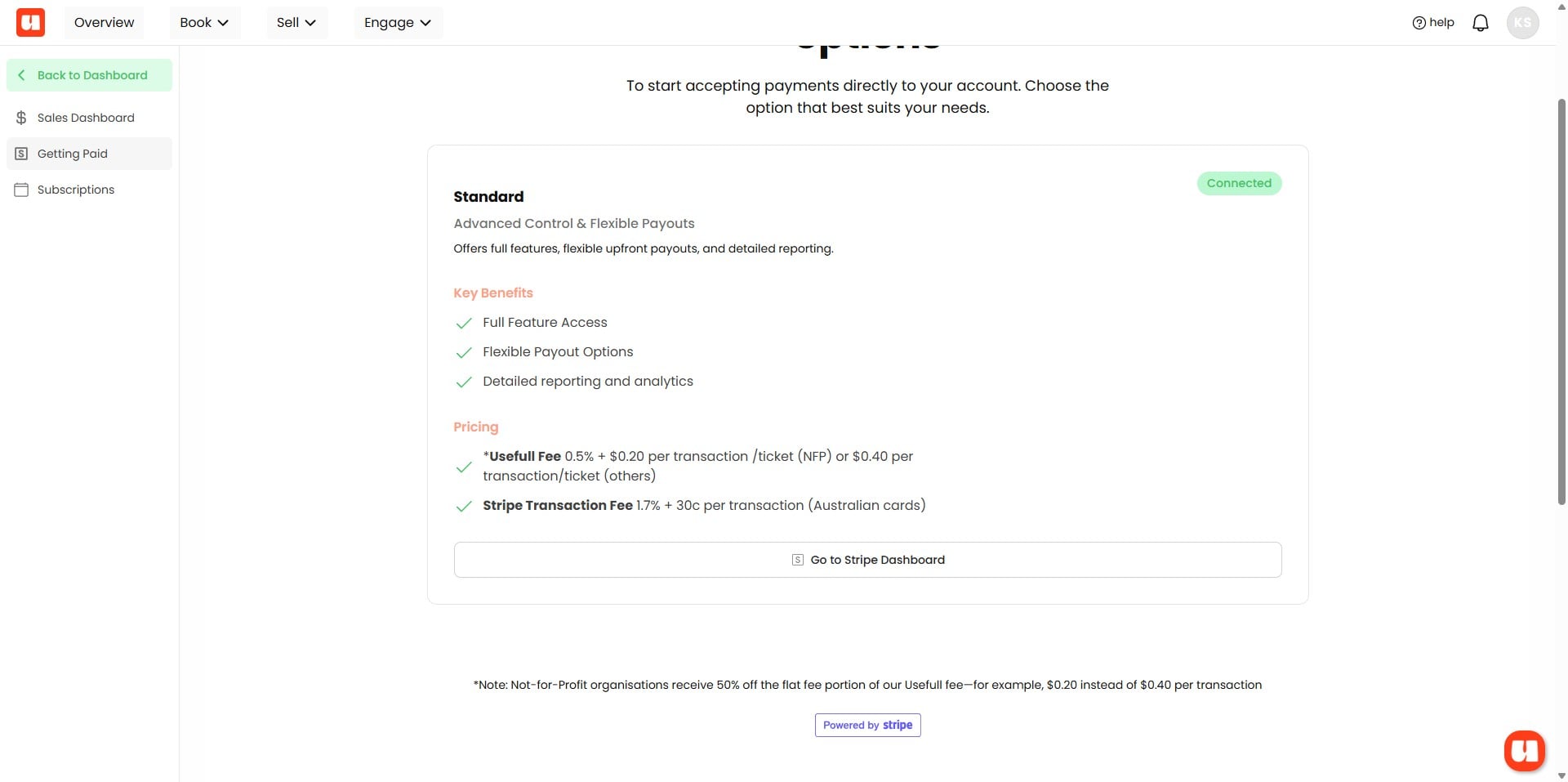
As a Stripe connected account on our platform, processing fees will be incurred based on the rates outlined in the table below. Usefull offers some of the most competitive rates available. These fees can either be passed on to your customers as part of the total on ticket and gift card sales, or absorbed into the final amount. When you’re ready to proceed, please click "Setup Payments".
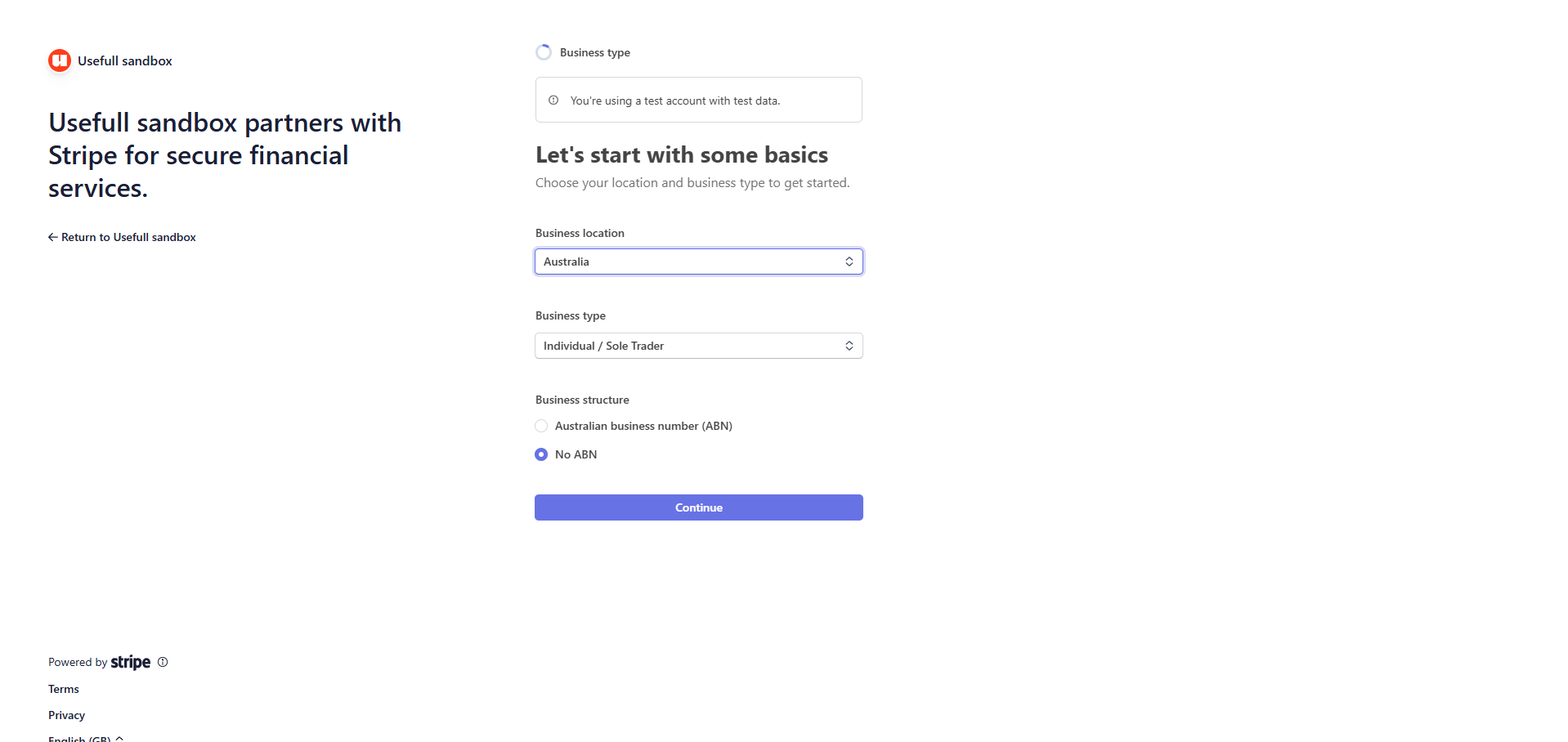
Stripe Setup and Onboarding
You will now be temporarily redirected to Stripe to complete your account setup. Please note that Usefull does not store any customer credit card information—this is all securely managed by Stripe.
You will be asked to provide your personal contact information, details about your business or entity, your ABN, security setup, and bank account information for payouts. While this may seem extensive, it's essential for security. Stripe is a PCI-compliant payment provider, ensuring your data is protected at all times.
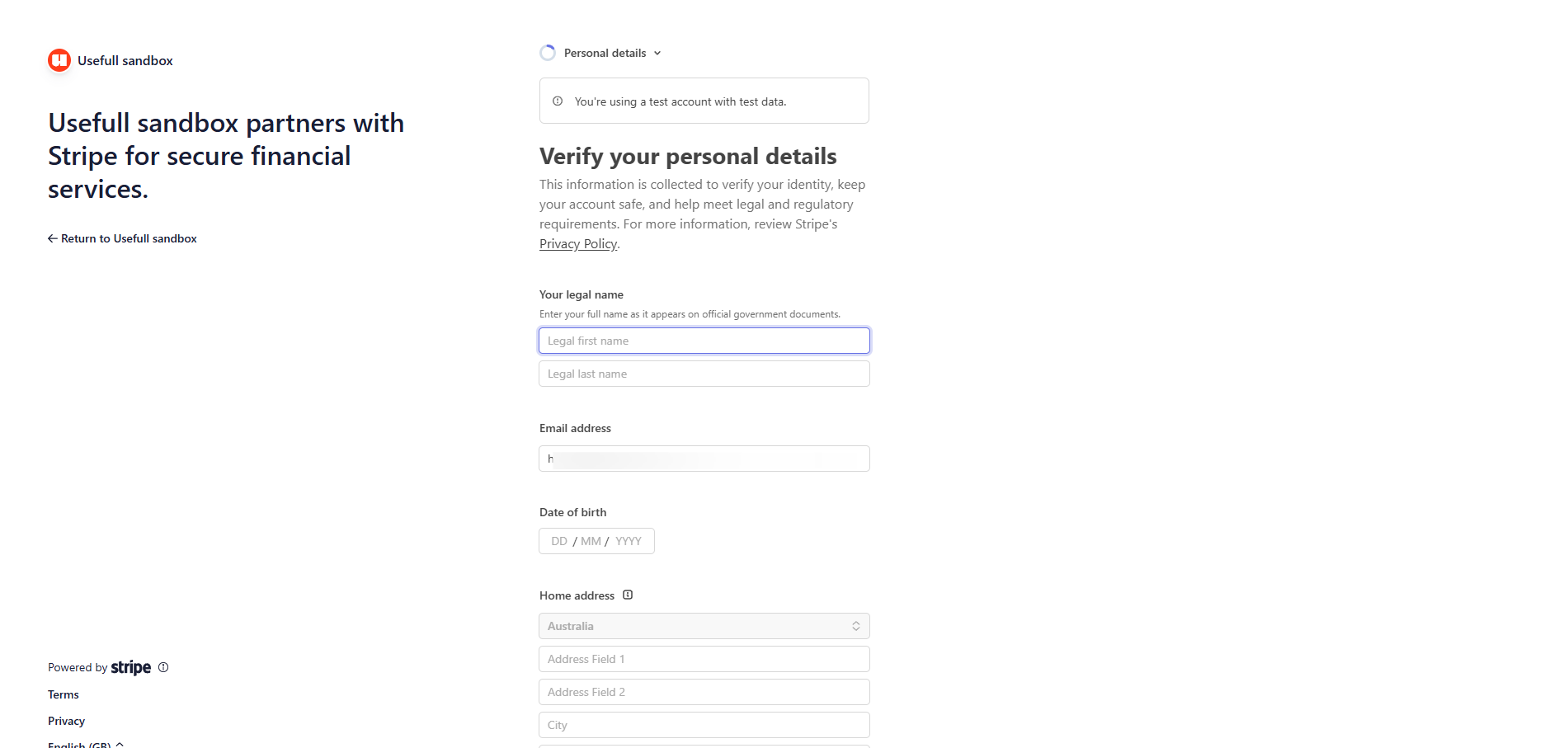
Tip: Take Your Time with This Setup! Setting up your details with Stripe might feel a bit tedious or time-consuming, but it’s a crucial part of keeping your payments secure and compliant. Providing accurate information ensures your payouts are smooth and timely, and it helps protect both you and your customers from fraud. Remember, this step is part of Stripe’s robust security measures—they are a trusted, PCI-compliant provider focused on safeguarding your business. Trust the process—it’s worth the effort!
Once finished you'll be redirected back to Usefull. And you should see a green 'connected' badge when your account is verified. As soon as this is complete you'll be able to accept payments and authorisations for bookings and events!
Remember: If you have any difficulty with this step, don't hesitate to contact us. We're here to help!!
Frequently Asked Questions
- Do I have to set up Stripe to use the platform?
No—if you are not planning to accept payments for events or bookings, you can skip this feature. If you do want to accept payments, there is a quick link on your main dashboard; click "Setup Payments" to begin.
- What information will I be asked to provide during Stripe onboarding?
You will be asked for personal contact information, details about your business or entity, your ABN, security setup details, and bank account information for payouts. This information is required for security and payout processing.
- Does Usefull store customer credit card information?
No. Usefull does not store any customer credit card information—all card data is securely managed by Stripe, a PCI-compliant payment provider.
- What are the processing fees and can I pass them on to customers?
Processing fees will be incurred based on the rates outlined in the table shown in the guide. These fees can either be passed on to customers as part of the total for ticket and gift card sales or absorbed into the final amount.
- How will I know the setup is complete and what if I run into problems?
After you finish the Stripe onboarding you'll be redirected back to Usefull and should see a green 'connected' badge when your account is verified. Once verified you'll be able to accept payments and authorisations. If you have any difficulty with this step, contact Usefull support for help.