

How to Send a Booking Guarantee Request
This guide will walk you through the steps to send a booking guarantee request to a customer for an upcoming booking using your booking dashboard. This process applies when the booking comes in via phone or email rather than through the online booking system.
A Booking Guarantee securely stores a customer’s payment method to protect your business in the event that the customer does not show up for their booking. It is a useful tool that helps you minimise no-shows and lost revenue, and ensure commitment from the customer.
- Create or Edit a Booking
Booking guarantee requests can be sent on new bookings or by editing an existing booking if one hasn't been created. In this guide, we're creating a new booking.
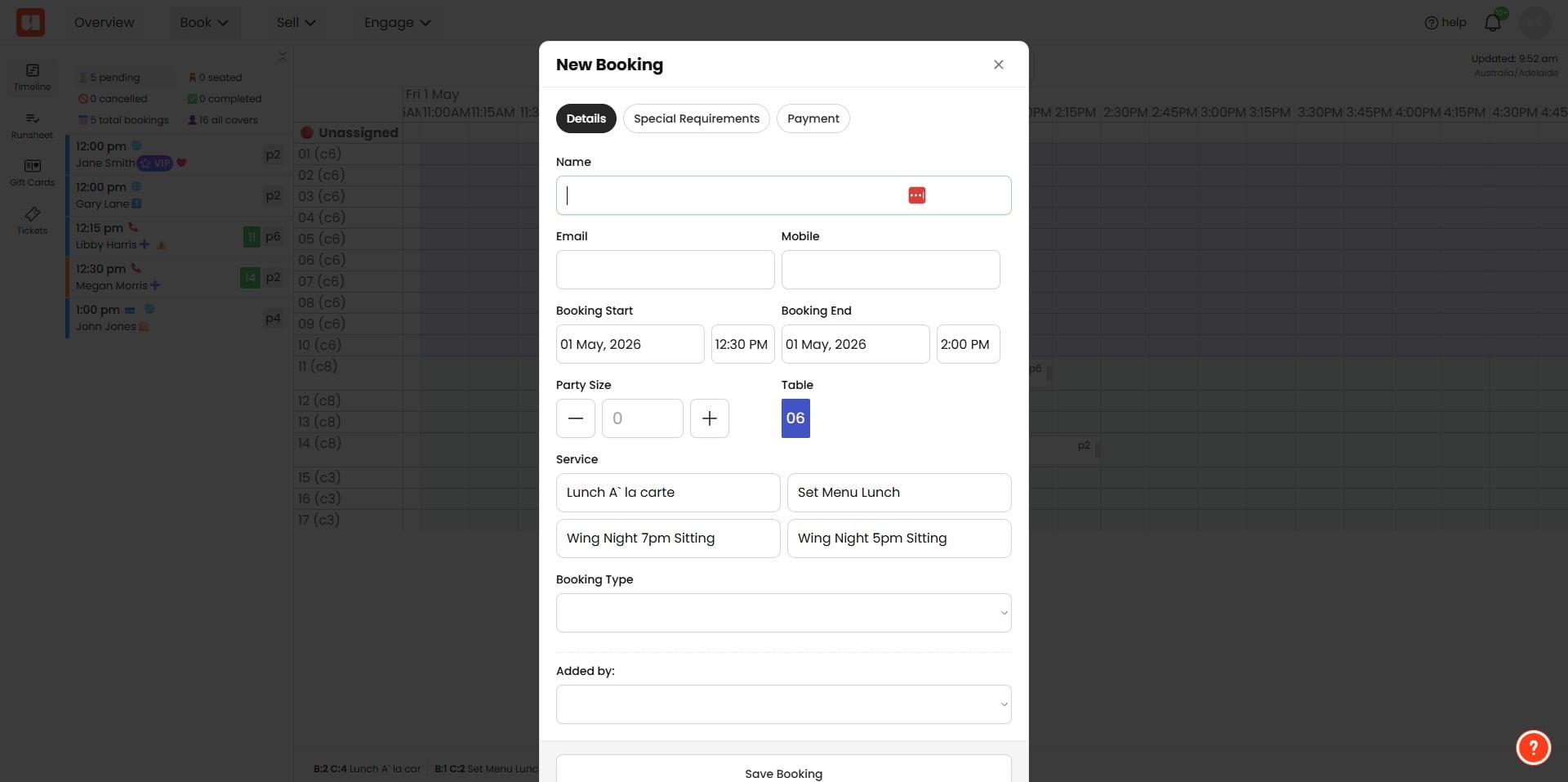
Once details are added for the booking click the 'Payment' tab.
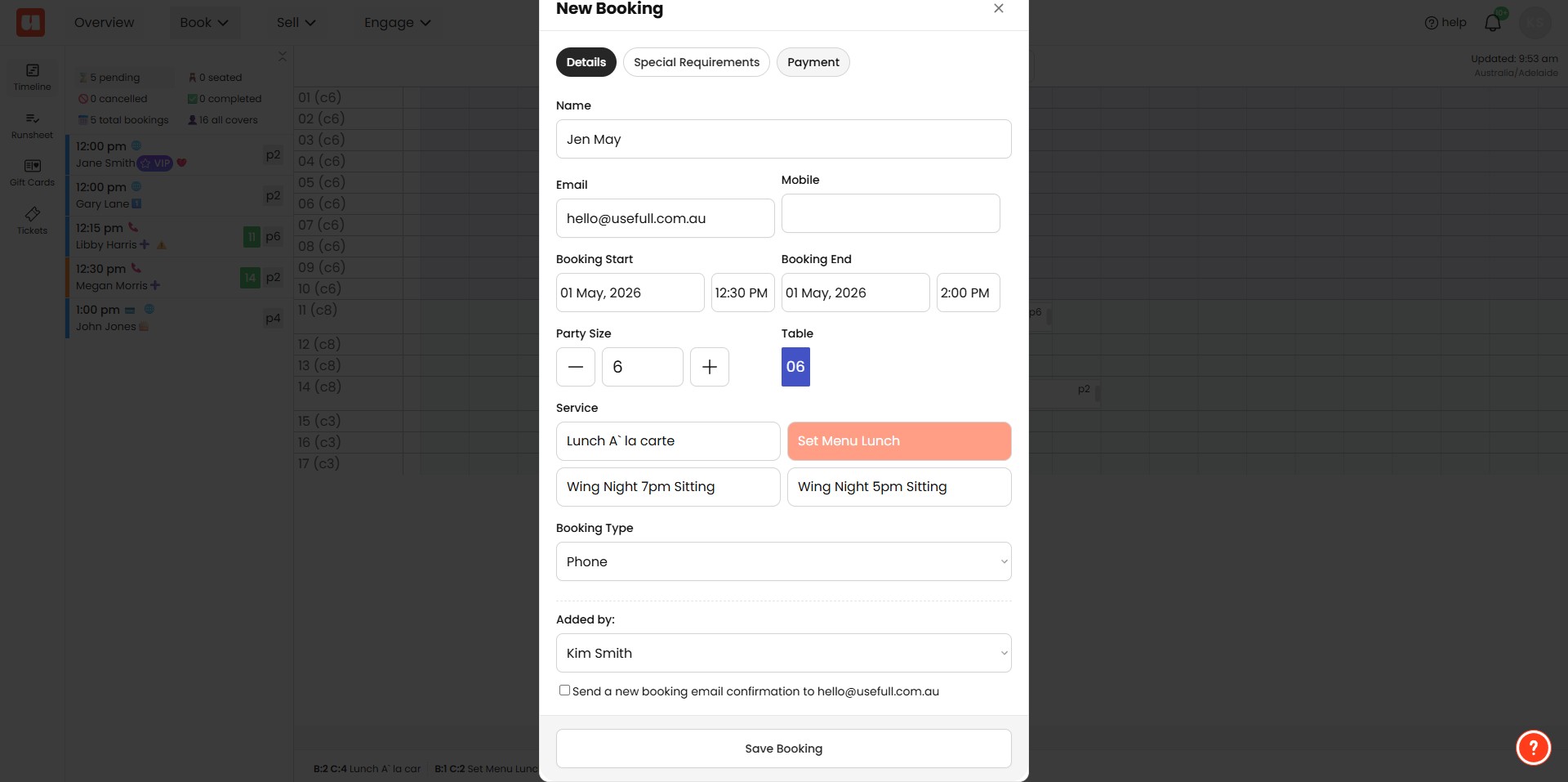
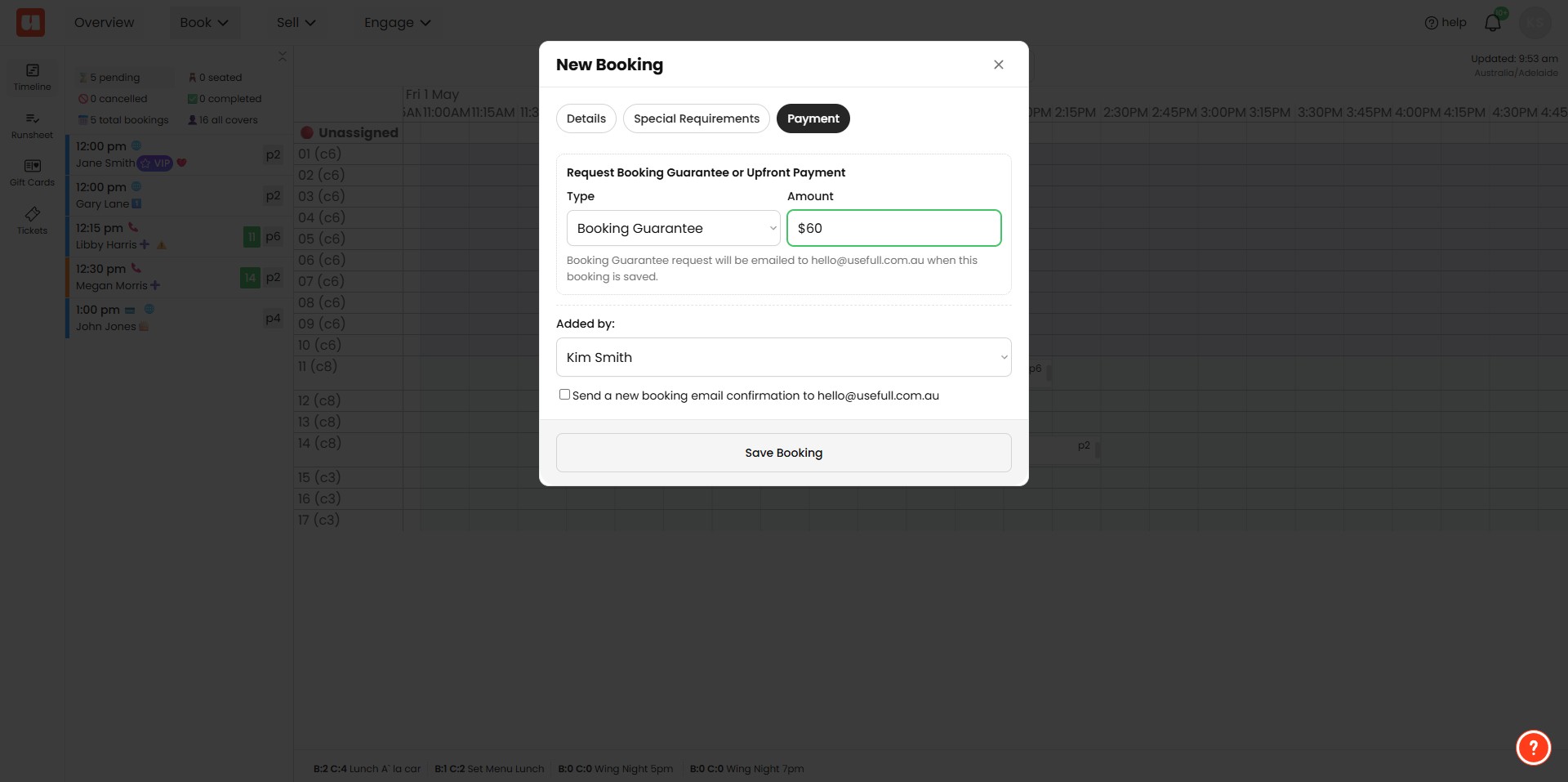
Select 'Booking Guarantee' from the dropdown menu and enter an amount. Then click 'Save' this will automatically send the booking guarantee request to your customer. If you are editing an existing booking a send button will be visible next to the amount input.
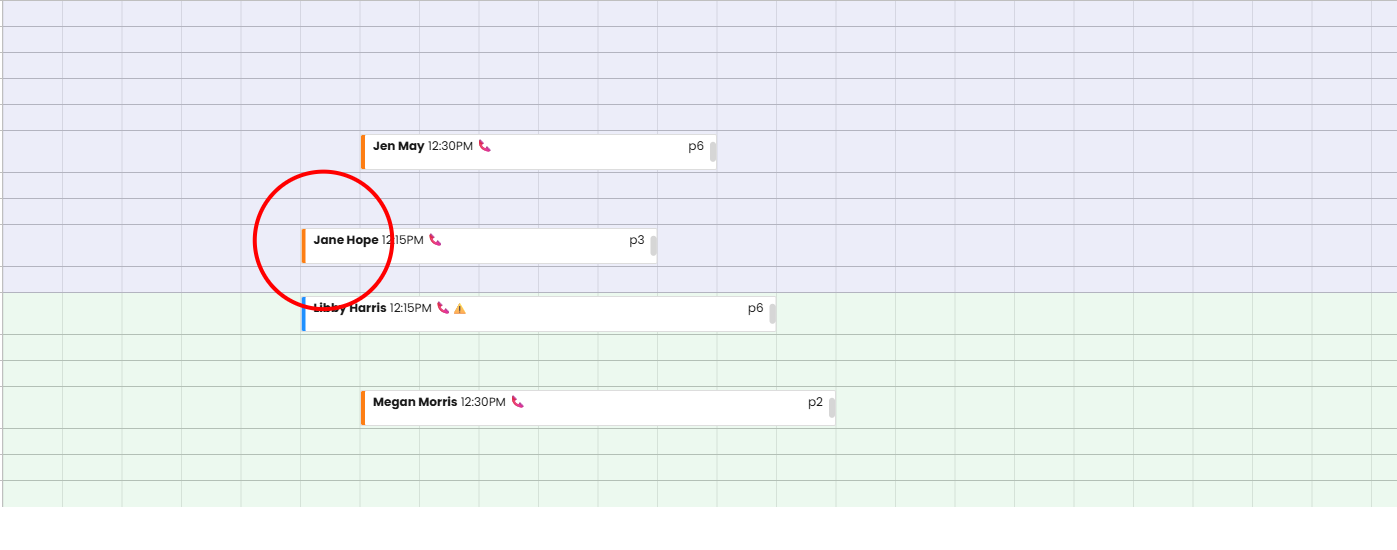
In you timeline view, you'll see bookings with an orange bar, have an outstanding booking guarantee request.
Your customer will now receive an email with the request provide a booking guarantee. They'll be asked to confirm a payment method.
Booking Guarantee Customer Request
Your customer will receive an email requesting the booking guarantee and the amount.
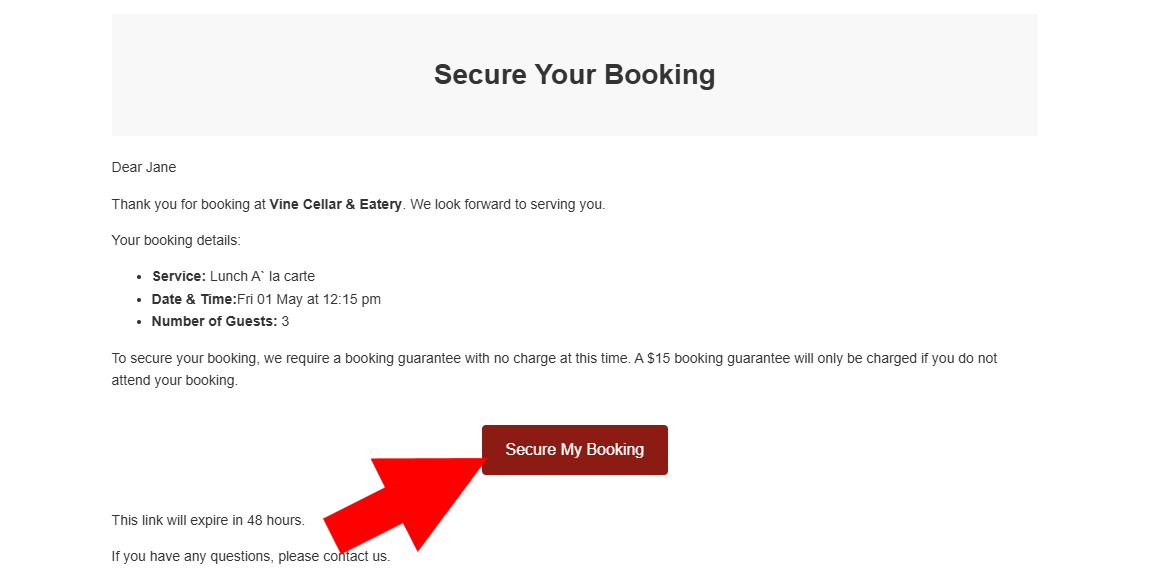
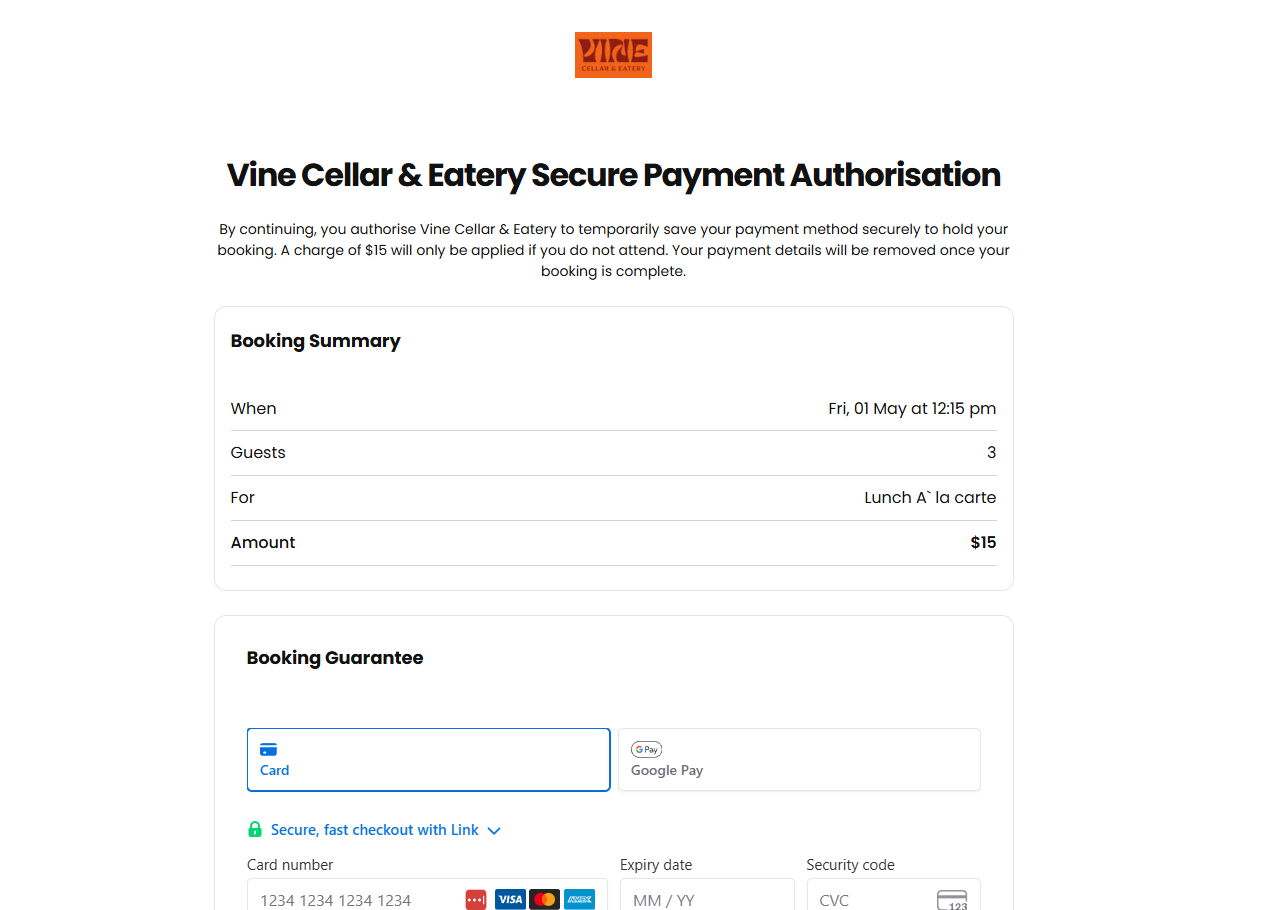
When they click the Secure My Booking link they'll be taken to a browser window with a secure payment capture form. This will not take payment, just capture their payment method to secure their booking.s
Frequently Asked Questions
- What is a Booking Guarantee and why should I use it?
A Booking Guarantee securely stores a customer’s payment method to protect your business if the customer does not show up. It helps minimise no-shows and lost revenue and ensures commitment from the customer.
- How do I send a Booking Guarantee request when creating a new booking?
Navigate to the app (example URL shown in the guide), create the booking, then click the 'Payment' tab. Select 'Booking Guarantee' from the dropdown, enter an amount, and click 'Save'. Clicking Save will automatically send the booking guarantee request to the customer.
- How do I send a Booking Guarantee request for an existing booking?
You can send a booking guarantee by editing an existing booking. When editing, a send button will be visible next to the amount input so you can send the request after entering the amount.
- How will the customer receive and complete the Booking Guarantee request?
The customer will receive an email with the booking guarantee request and the amount. When they click the 'Secure My Booking' link they are taken to a browser window with a secure payment capture form. The customer is asked to confirm a payment method; this form captures the payment method but does not take a payment.
- How can I tell which bookings have an outstanding Booking Guarantee request?
In the timeline view, bookings with an outstanding booking guarantee request are shown with an orange bar.