

Embedding Booking, Event, or Gift Card Widgets on Your Website
Embed Usefull widgets for bookings, events, and gift cards—including dynamic list views such as all published gift cards. This allows your website visitors to book, or purchase directly from your site.
Tip: This is an advanced feature and requires updating your own website by adding HTML snippets. We recommend some familiarity with website editing or developer assistance.
Prepare Your Website
Recommended: Create a dedicated page on your website for these widgets. This helps improve performance and organisation.
Accessing the Widget Setup
Navigate to a setup section for your Bookings, Events or Gift Cards. In this example, we'll use bookings but the steps are the same.
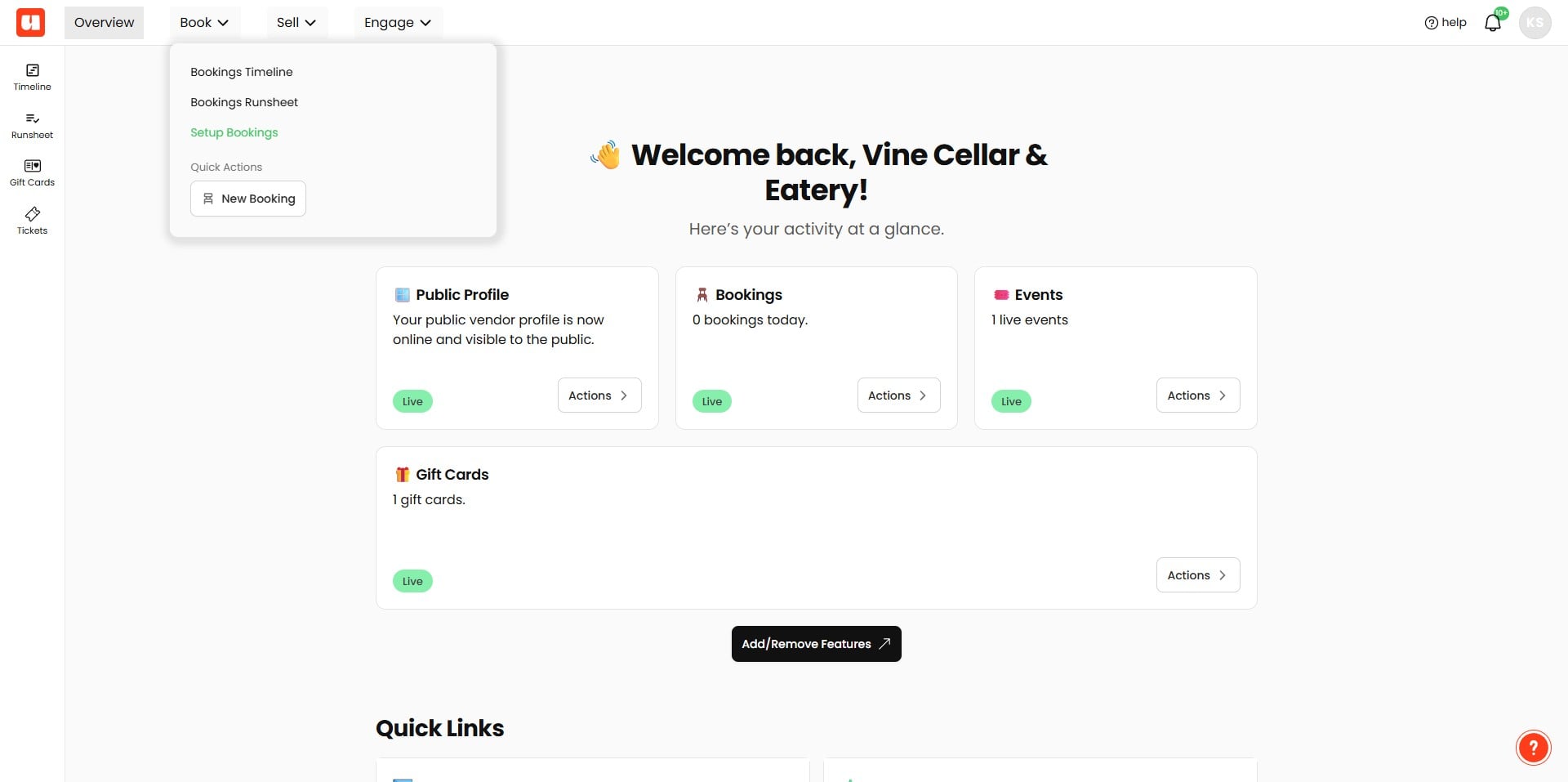
In the main menu, locate and click "Embedded Widget"
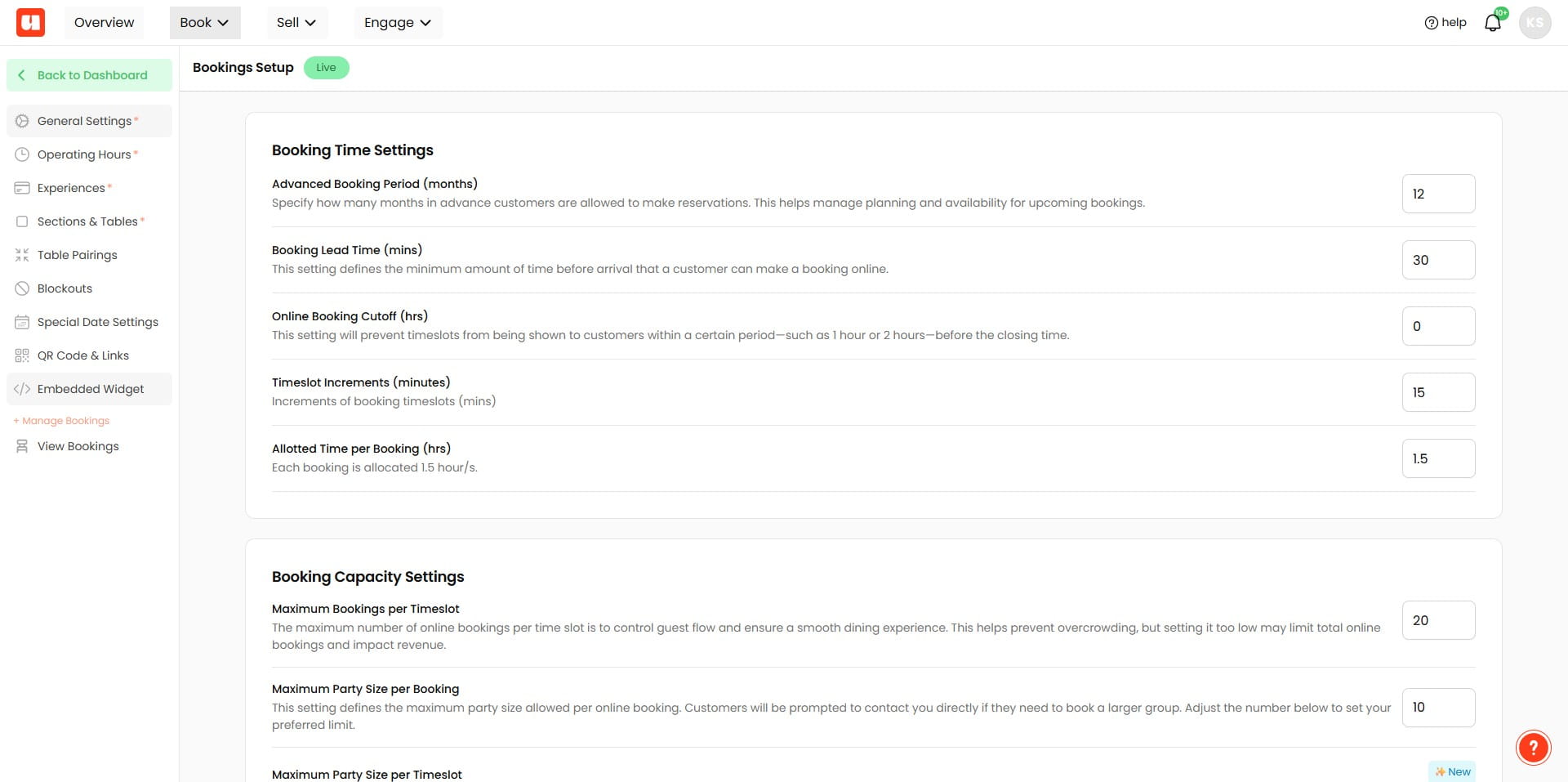
You will see contextual instructions on how to embed your selected widget. Follow the instructions carefully. You will have two main code blocks to add:
- Styles: These go within the
<head></head>section of your page, inside<style></style>tags.
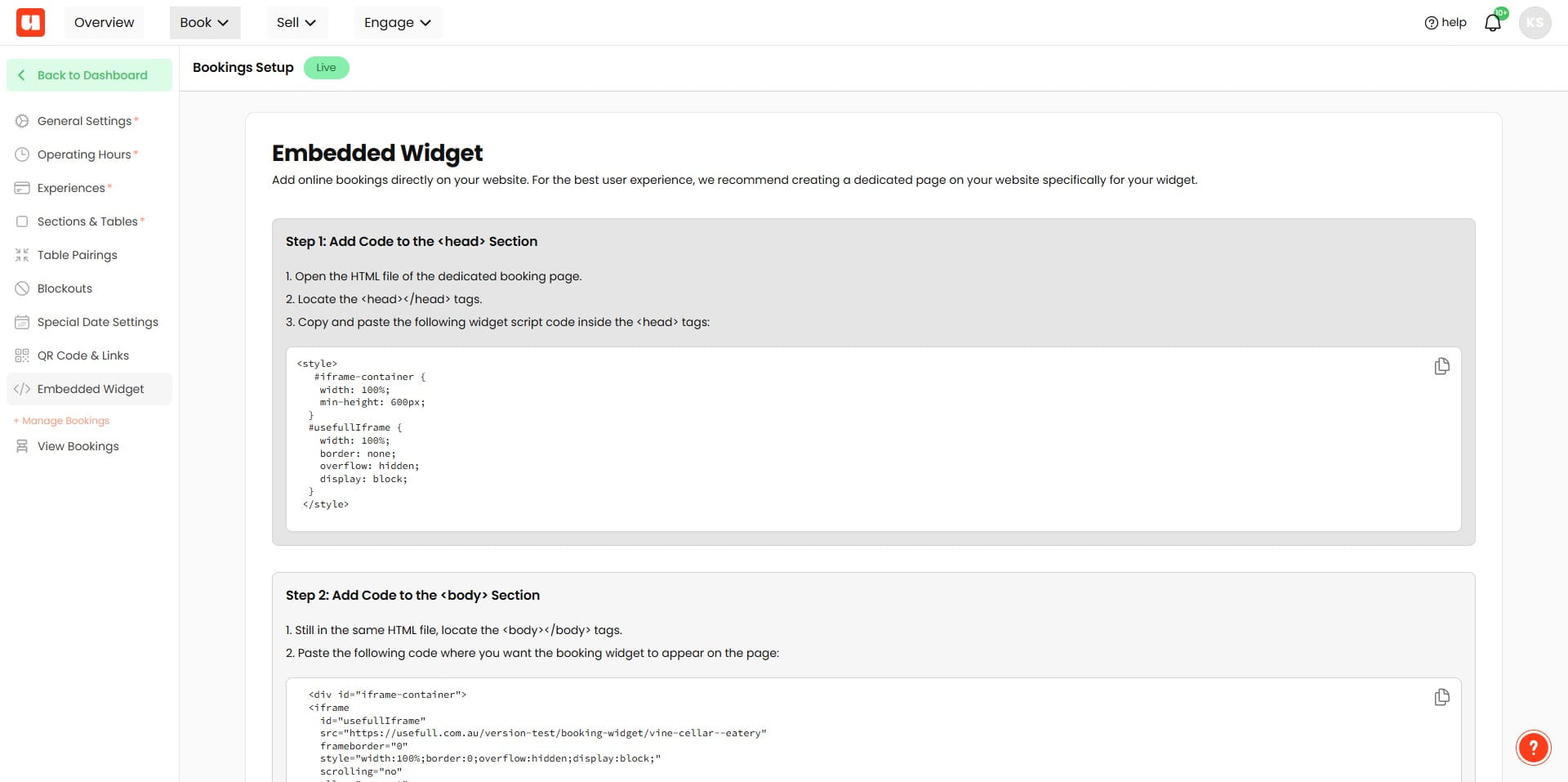
Click on "Step 2: Add Code to the <body> Section"
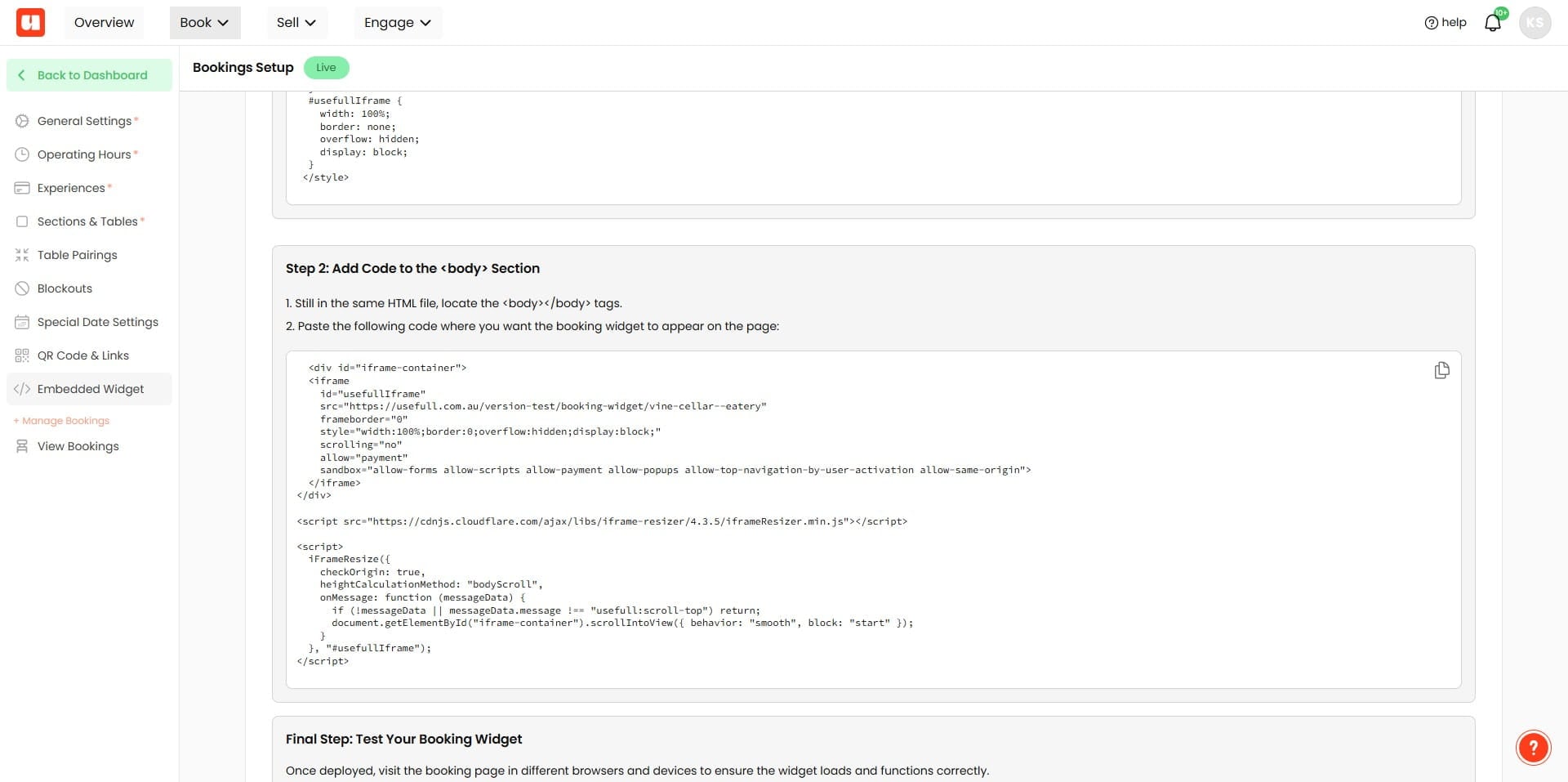
- After adding the code, test the widget thoroughly.
- Make sure bookings, events, or gift card purchases are functioning correctly.
- Check on multiple browsers, and mobile devices if possible.
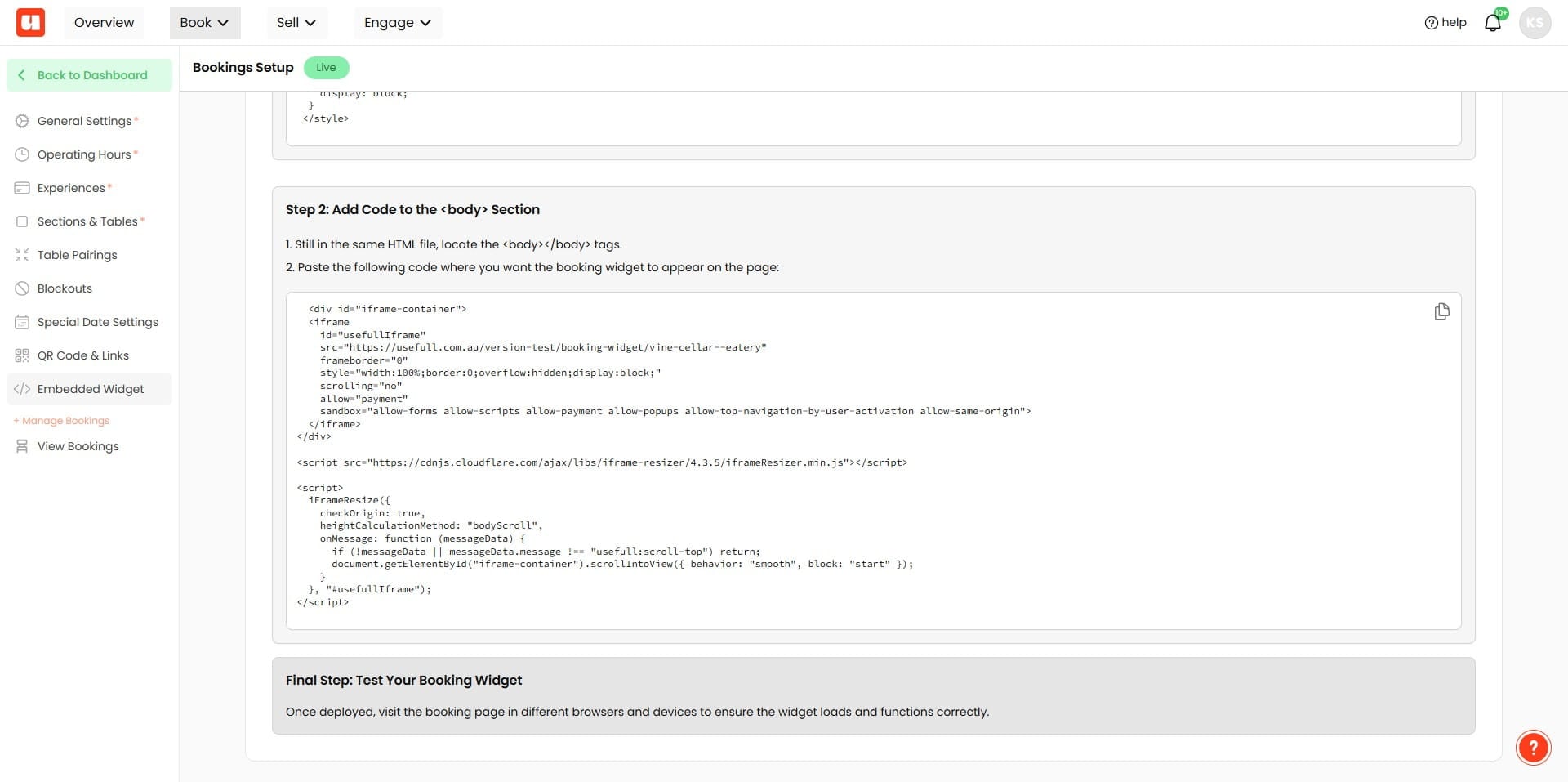
Important: Ensure you copy and paste all code exactly as provided. Missing parts could lead to functionality issues.
Additional Tips
- Wallets like Apple Pay may not appear as a payment option in your widget: This limitation is due to CORS (Cross-Origin Resource Sharing) policies with embedded iframes. If wallet payment features are crucial, it's recommended to use our native pages directly rather than embedding.
- SEO Optimization: When using iframes, embedded content may not be fully indexed by search engines. Make sure the main content and metadata of your dedicated widget page are optimized for SEO.
Frequently Asked Questions
- What technical skills or prerequisites are required to embed these widgets on my website?
This is an advanced feature and requires updating your website by adding HTML snippets. Familiarity with website editing or developer assistance is recommended. It’s also recommended to create a dedicated page on your site for the widgets to improve performance and organization.
- Where should I add the code snippets provided by the Embedded Widget setup?
There are two main code blocks. Add the Styles block inside your page’s <head></head> section within <style></style> tags. Then follow the instructions under "Step 2: Add Code to the <body> Section" to place the body code where the widget should appear.
- The widget isn’t appearing or functionality is broken — what should I check?
Ensure you copied and pasted all code exactly as provided; missing parts can cause functionality issues. Confirm the Styles are in the <head> and the body code is in the <body> where instructed. After adding the code, test the widget thoroughly across multiple browsers and on mobile devices to confirm bookings, events, or purchases work correctly.
- Why don’t I see Apple Pay or other wallet payment options in the embedded widget?
Wallet options like Apple Pay may not appear in embedded widgets because of CORS (Cross-Origin Resource Sharing) limitations with iframes. If wallet payments are crucial, use the native pages directly instead of embedding the widget.
- Will embedding the widget affect my site’s SEO and indexing?
Embedded iframe content may not be fully indexed by search engines. To mitigate this, place the widget on a dedicated page and make sure that the main content and metadata of that page are optimised for SEO.